
How to Withdraw Your Wallet Balance
Step-by-step guide on how to start a withdrawal in the app:
-
Open your Wallet.

- Tap "Withdraw"

-
Enter your email and country
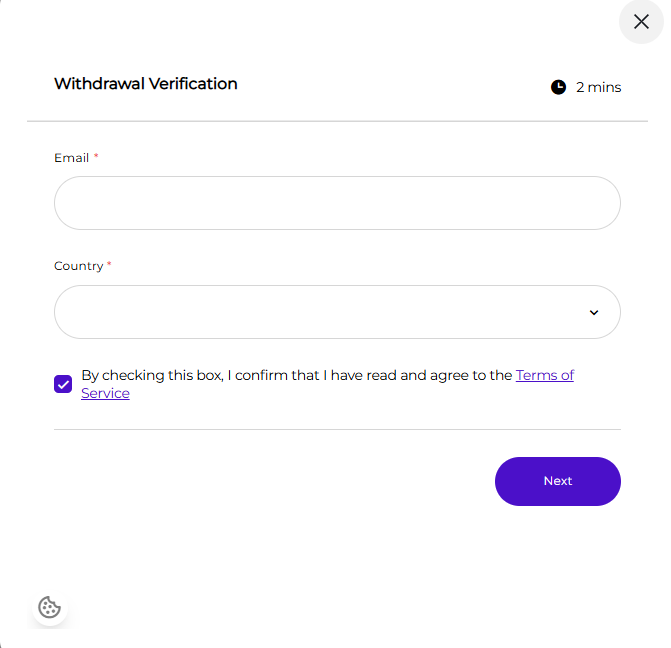
- Review and accept the Terms of Service.
-
Choose your account type (individual or business).
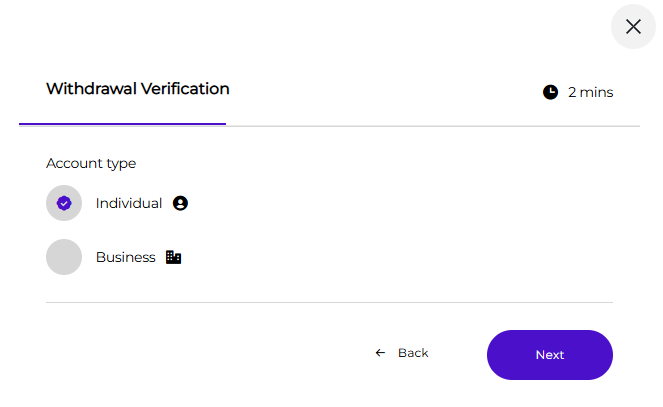
- Complete the required verification.
- Add your payout details and submit your withdrawal.
What to expect during verification and setup?
You can withdraw your balance on Collectibles.com using our payout partner, Coinflow. The process is fast and secure, and most users can complete verification and link their payout method in minutes.
1. Complete verification
Before you can withdraw funds, Coinflow requires identity verification for individuals (KYC) or businesses (KYB).
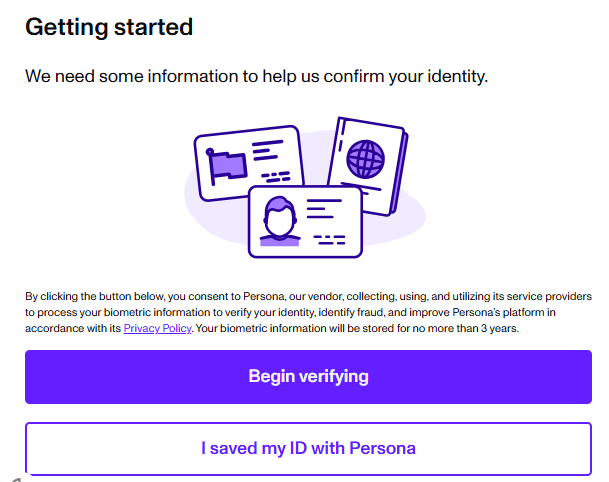
You may be asked to provide:
• Your country of residence
• A government-issued ID
• A selfie for verification
Most KYC checks are approved in under 10 seconds. KYB typically completes in under 30 seconds. If a manual review is needed, it may take up to 24 hours.
2. Link your bank account or debit card
After verification, connect the account where you want your payout sent.
• Users linking a bank account will authenticate through Plaid (in supported regions).
• Debit cards can also be linked for instant push-to-card payouts.
3. Choose your withdrawal speed
You can select the payout option available in your region:
- Instant payouts
- Same-day payouts
- Standard payouts
4. Confirm your withdrawal
Once submitted, you’ll receive a confirmation that your withdrawal is being processed. Funds will arrive based on the payout speed you selected.